
Practicum 4: PlanSys#
Practicum date: Tuesday, March 3, 2026, 23:59
Course: RO47014 Knowledge Representation and Symbolic Reasoning, TU Delft, CoR
Instructors: Alex Gabriel, email: A.Gabriel@tudelft.nl
In this practicum, we will use PDDL and PlanSys2 to solve a simple task for Mirte in our apartment: placing a dirty spoon in the drop location next to the dishwasher, and placing a clean spoon in the drop location for clean tableware. First, we will update our local workspace installing some ROS 2 packages. Then you will be able to run the system and observe Mirte solving this simple task in Gazebo, then, you will investigate how all this has been done with the packages provided.
Setup the KRR workspace#
Follow the instructions in https://manual.ro47014.me.tudelft.nl/krr_course/krr_setup_instruction.html.
Then, within the singularity shell, source the KRR workspace:
source ~/krr_ws/install/setup.bash
And source gazebo:
source /usr/share/gazebo/setup.bash
Start the simulation:
ros2 launch mirte_gazebo gazebo_mirte_master_navigation.launch.py
Set initial pose: Go into the RVIZ screen and set the initial position of the robot by clicking the button “2D Pose Estimate”, then clicking on the center of the robot and dragging up before letting go.
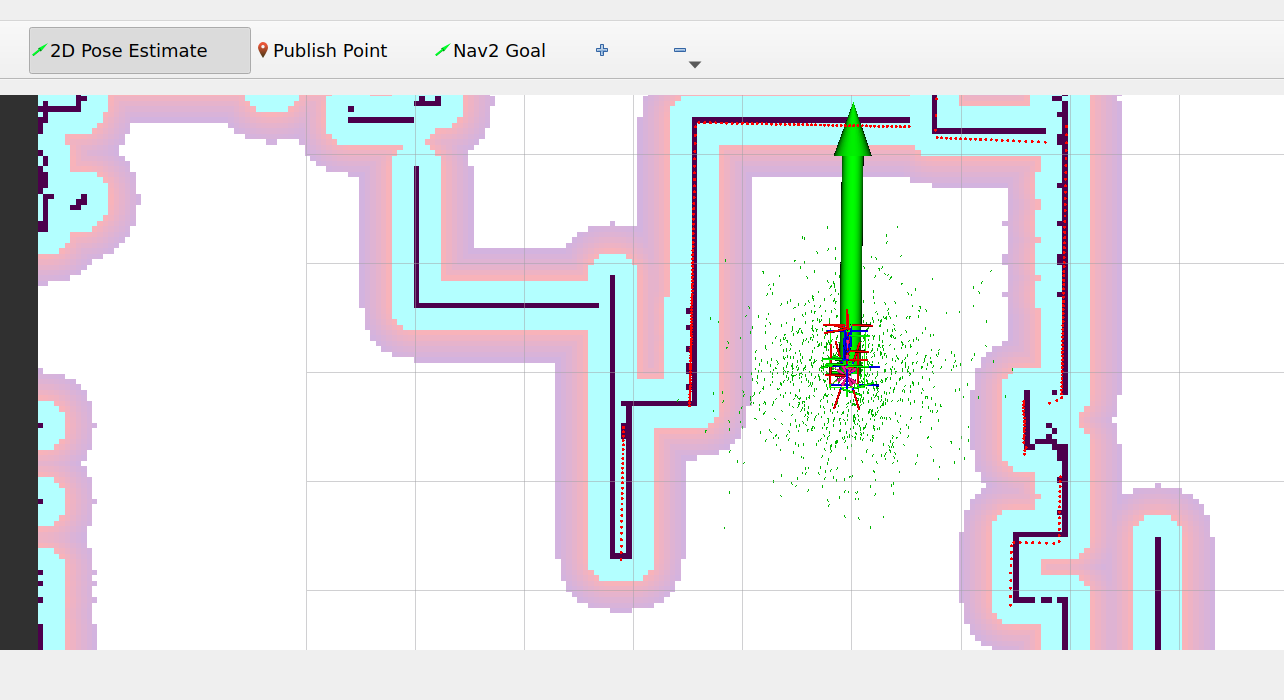
Fig. 3 Pose Estimate#
Run the PDDL example for Mirte:
In another terminal:
ros2 launch krr_mirte_pddl krr_mirte_pddl_launch.py
The robot should start moving to the spoon placed close to it, then it should pick the spoon and place it into the drop location next to it, something similar to Figure 4.
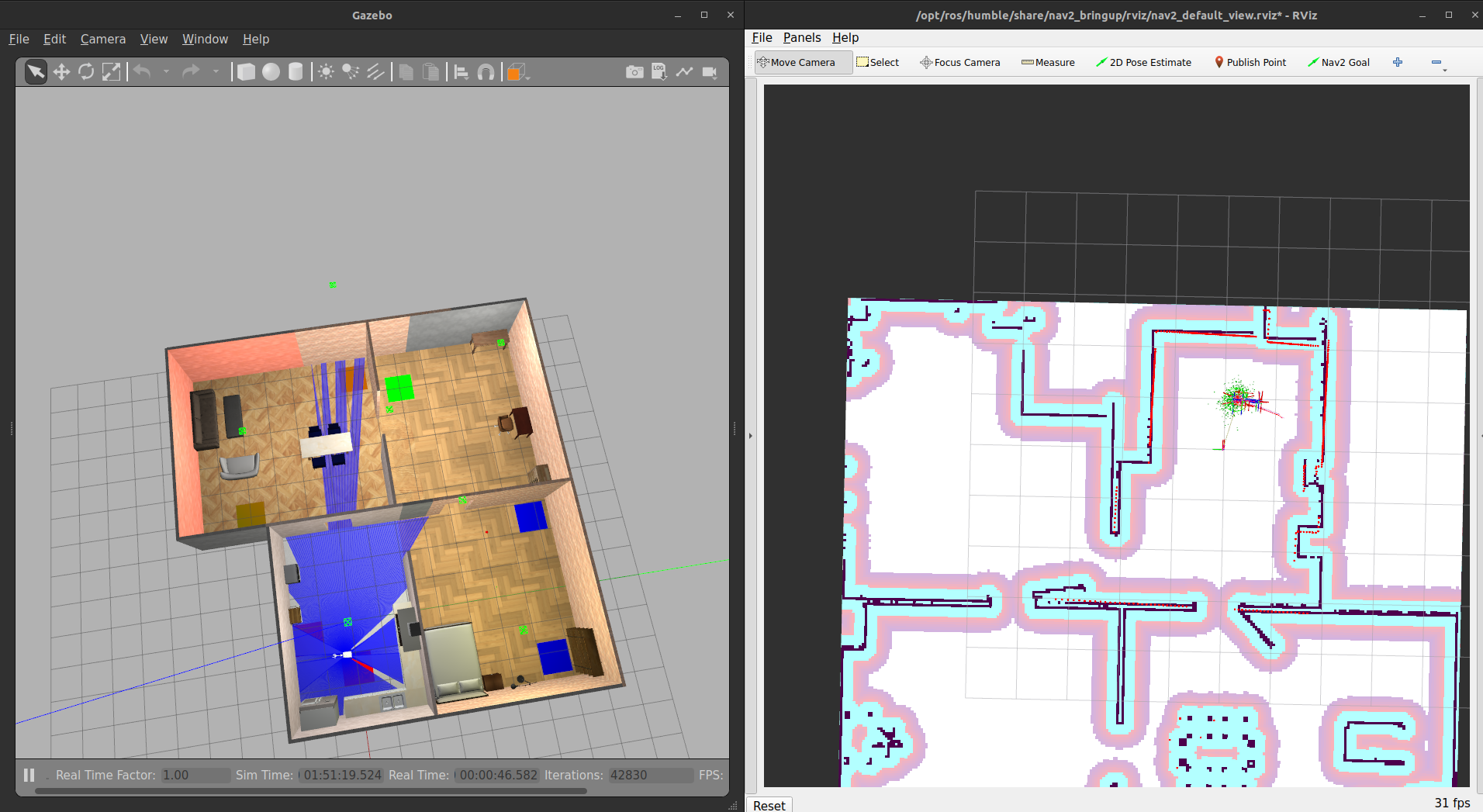
Fig. 4 Expected result after running the simulation#
Understanding the krr_mirte_pddl package#
The package krr_mirte_pddl implements a solution to the task of placing two spoons to their corresponding locations in the apartment. It is based on PDDL and it is an example of how to use the ROS 2 Planning System. This package contains what the PlanSys2 tutorial calls a planning controller.
In this robot task, there are two objects: obj_1_spoon_clean and
obj_2_spoon_clean, and five locations or waypoints: wp0,
wp_spoon_dirty, wp_spoon_clean, wp_dishwasher and wp_tableware.
The initial state of location of objects in the waypoints is given in
the PDDL problem file, and the goal, also defined there, is to place the
clean spoon in the location for tableware, and the dirty spoon in the
dishwasher location.
Our package follows the usual structure for PlanSys2-based solutions (see PlanSys2 first planning package tutorial):
A PDDL model in the
pddlfolder.Nodes implementing the PlanSys2 actions in the
srcfolder.A planning node
src/krr_mirte_pddl.cppthat initiates knowledge (in this practicum simply by loading the problem file) and manages when to execute a plan and its goals.A launcher
launch/krr_mirte_pddl_launch.pythat executes the actions and launches PlanSys2 with the appropriate domain.
The following subsections explain the details of these elements.
PDDL model#
The pddl folder contains the PDDL domain and problem formulations for the KRR scenario.
The domain
file
defines predicates (e.g., (robot_at ?wp - waypoint)) and actions
(e.g., (move ?wp1 ?wp2)).
(:predicates
    (robot_at ?wp - waypoint)

    (object_at ?i - item ?wp - waypoint)
    (robot_holds ?i - item)
    (robot_gripper_free)
    (robot_gripper_busy)

    (object_drop_location ?i - item ?wp - waypoint)
  )

  (:durative-action move
    :parameters (?wp1 ?wp2 - waypoint)
    :duration ( = ?duration 5)
    :condition (and
        (at start (robot_at ?wp1))
    )
    :effect (and
        (at start (not(robot_at ?wp1)))
        (at end (robot_at ?wp2))
    )
  )
The problem file defines objects (e.g., obj_1_spoon_clean), the initial state (e.g., (robot_at wp0)), and the planning goal (e.g., (object_at obj_1_spoon_clean wp_tableware)).
(:init
    (robot_at wp0)
    (robot_gripper_free)

    (object_at obj_1_spoon_clean wp_spoon_clean)
    (object_drop_location obj_1_spoon_clean wp_tableware)

    (object_at obj_2_spoon_dirty wp_spoon_dirty)
    (object_drop_location obj_2_spoon_dirty wp_dishwasher)
  )

  (:goal
    (and
        (object_at obj_1_spoon_clean wp_tableware)
        (object_at obj_2_spoon_dirty wp_dishwasher)
    )
  )
Exercise: Try changing the planning goal, for example, to only pick one object and not place it in its proper location.
PlanSys2 actions#
For each PDDL action, it is necessary to implement a PlanSys2 action
that derives from the class plansys2::ActionExecutorClient, check the
move action implementation for an example:
action_move.hpp
and
action_move.cpp.
In the move action header, you need to define that the action inherits
from the plansys2::ActionExecutorClient class, all the clients and
topics it uses, all callbacks, as well as the on_configure,
on_activate and do_work methods. These last three methods already
exist in the plansys2::ActionExecutorClient and are being overridden
here. In PlanSys2 actions, the action logic is usually implemented in
the on_activate or do_work methods.
class Move : public plansys2::ActionExecutorClient
{
public:
 ...
private:
  ...

  rclcpp::CallbackGroup::SharedPtr callback_group_action_client_;
  rclcpp_action::Client<nav2_msgs::action::NavigateToPose>::SharedPtr navigate_cli_;

  ...
  rclcpp_lifecycle::node_interfaces::LifecycleNodeInterface::CallbackReturn
  on_configure(const rclcpp_lifecycle::State & previous_state);
  rclcpp_lifecycle::node_interfaces::LifecycleNodeInterface::CallbackReturn
  on_activate(const rclcpp_lifecycle::State & previous_state);

  void do_work() {};
};
The move
action
implements the action logic on the
on_activate
method. In line 8, the get_argument()[1] method is used to get the
second parameter of the move action, that is, the goal location. Recall
the move action PDDL definition (move ?wp1 ?wp2). In line 23, the
finish method indicates when the action is completed where the first
parameter indicates whether it succeeded or failed; it is passed as a
result callback to the navigation client. Line 26 actually calls the
navigation action server.
Check pick
action
for an example of how to implement the action logic in the do_work
method.
Move::on_activate(const rclcpp_lifecycle::State & previous_state)
  {
    send_feedback(0.0, "Move starting");

    ...

    nav2_msgs::action::NavigateToPose::Goal navigation_goal;
    navigation_goal.pose = get_waypoint(get_arguments()[1]);
    dist_to_move_ = getDistance(navigation_goal.pose.pose, current_pos_);

    auto send_goal_options =
      rclcpp_action::Client<nav2_msgs::action::NavigateToPose>::SendGoalOptions();

    send_goal_options.feedback_callback = [this](
      NavigationGoalHandle::SharedPtr,
      NavigationFeedback feedback) {
        send_feedback(
          std::min(1.0, std::max(0.0, 1.0 - (feedback->distance_remaining / dist_to_move_))),
          "Move running");
      };

    send_goal_options.result_callback = [this](auto) {
        finish(true, 1.0, "Move completed");
      };

    future_navigation_goal_handle_ =
      navigate_cli_->async_send_goal(navigation_goal, send_goal_options);

    return plansys2::ActionExecutorClient::on_activate(previous_state);
  }
You can notice that the waypoints poses are defined as parameters of the move action, and they are hard coded in the waypoints.yml file. For every new waypoint you want to define, you need to declare a new parameter for the respective waypoint, add the pose to the waypoints.yml file, and update the PDDL formulation.
this->declare_parameter("wp0", rclcpp::ParameterType::PARAMETER_DOUBLE_ARRAY);
this->declare_parameter("wp_spoon_dirty", rclcpp::ParameterType::PARAMETER_DOUBLE_ARRAY);
this->declare_parameter("wp_spoon_clean", rclcpp::ParameterType::PARAMETER_DOUBLE_ARRAY);
this->declare_parameter("wp_dishwasher", rclcpp::ParameterType::PARAMETER_DOUBLE_ARRAY);
this->declare_parameter("wp_tableware", rclcpp::ParameterType::PARAMETER_DOUBLE_ARRAY);
Planning node#
In addition to the PlanSys2 actions, we need a node to trigger planning and manage the plan execution. For this, we implemented the krr_mirte_pddl node. Line 3 triggers planning, line 14 triggers replanning when the plan execution fails, and line 11 ends the planning process when the plan execution succeeds.
void KrrMirtePddl::step(){
  if (first_iteration_){
    this->execute_plan();
    first_iteration_ = false;
    return;
  }

  if (!executor_client_->execute_and_check_plan() && executor_client_->getResult()) {
    if (executor_client_->getResult().value().success) {
      RCLCPP_INFO(this->get_logger(), "Plan execution finished with success!");
      this->finish_controlling();
    } else {
        RCLCPP_INFO(this->get_logger(), "Replanning!");
        this->execute_plan();
        return;
    }
  }
 ...
}
Launch files#
For the custom PlanSys2 actions to be discoverable by the PlanSys2 executor, we need to launch the actions and set its ROS parameter ‘action_name’ with the name used in the PDDL formulation. For example, the action_move node ‘action_name’ parameter must be set to ‘move’. Here is how it is defined in a launch file:
...
    pddl_move_action_node = Node(
        package='krr_mirte_pddl',
        executable='action_move',
        parameters=[waypoints_file, {'action_name': 'move'}]
    )

    pddl_pick_action_node = Node(
        package='krr_mirte_pddl',
        executable='action_pick',
        parameters=[waypoints_file, {'action_name': 'pick'}]
    )

    pddl_place_action_node = Node(
        package='krr_mirte_pddl',
        executable='action_place',
        parameters=[waypoints_file, {'action_name': 'place'}]
    )

    return LaunchDescription([
        plansys2_bringup,
        krr_mirte_pddl_node,
        pddl_move_action_node,
        pddl_pick_action_node,
        pddl_place_action_node
    ])
Selecting a PDDL-based planner#
By default, PlanSys2 uses the POPF planner to find a plan for the PDDL formulation. POPF is a satisficing planner, which means it looks for the first solution that reaches the planning goals, and it does not look for an optimal solution. You might have noticed that for this practicum scenario, sometimes the plans contain unnecessary move actions. Furthermore, POPF is a temporal numerical planner, which means it can handle numbers and time. Check the POPF page for more information about the planner.
An interesting aspect of PlanSys2 is that it allows the use of other PDDL-based planners. It only requires that a PlanSys2 plugin is implemented to integrate them into PlanSys2. You can see a list of the available plugins we know about here[2]. To change the planner you need to change the ‘plan_solver_plugins’ parameter of the ‘planner’ node, check the plansys2_params.yaml file.
Exercise: Switch the planner to the OPTIC planner, run the simulation, and see what happens. You will notice that the robot does not perform unnecessary moves anymore. The OPTIC planner tries to minimize the duration of the plan when no action costs are specified. Action costs and metrics can be specified for different behaviors, check the the PDDL wiki for more info.